


Scopus is one of the largest abstract databases in the world, collecting more than 94 million scientific publications. To date, more than 19 million researcher profiles have been created on the platform, and their number is increasing every day. In this review, we will analyze in detail the Scopus author profile, as well as analytical tools provided by the service.

Features of Scopus author profile
Scopus Author Profile is a unique identifier of a scientist in the Scopus database,
which allows researchers to present their scientific works and achievements. The information in the profile includes the following items:
- personal information about the author: first name, last name, title
- scientist identification: each researcher is assigned a unique identifier, which helps avoid confusion with namesakes or other researchers with similar names
- publications: complete overview of all of the author's academic papers that have been indexed by Scopus: research articles, conference proceedings, books, and other scholarly content
- the number of citations of the author's scientific publications, which helps to assess the influence and relevance of the scientist in the scientific community
- basic scientometric indicators: h-index (Hirsch index) and citation index of the author, which display the productivity and citation of the scientist
- disciplines: profile displays information about the fields of science in which the scientist conducts research
- co-authors: a scientist's profile includes a list of authors with whom he or she has published papers, which helps expand scientific connections and makes it easier to find colleagues for future projects.
- trend analysis: Scopus allows you to analyze publication trends and key metrics of a scientist's influence, which helps authors track the development of their scientific career, plan future research, and compare the productivity of colleagues.
Author profile in Scopus is an important tool for scientists, as it not only demonstrates their scientific achievements, but also helps in promoting scientific works in the international academic space.
Profiles are created automatically after the first publication is indexed in Scopus using metadata from published papers.
Navigating through the Scopus author profile
To get started with your author profile, you must go to the Scopus website and log in using your credentials.
Scopus author profile is created automatically on a free of charge basis. We have prepared instructions on how to search for a researcher's profile and work with it:
Step 1. On the main page, click the "Search" button and select the "Authors" tab. Start searching for the scientist's profile by author name and surname (Author name section).
If necessary, you can enter additional data, such as institution or field of research, to narrow your search.
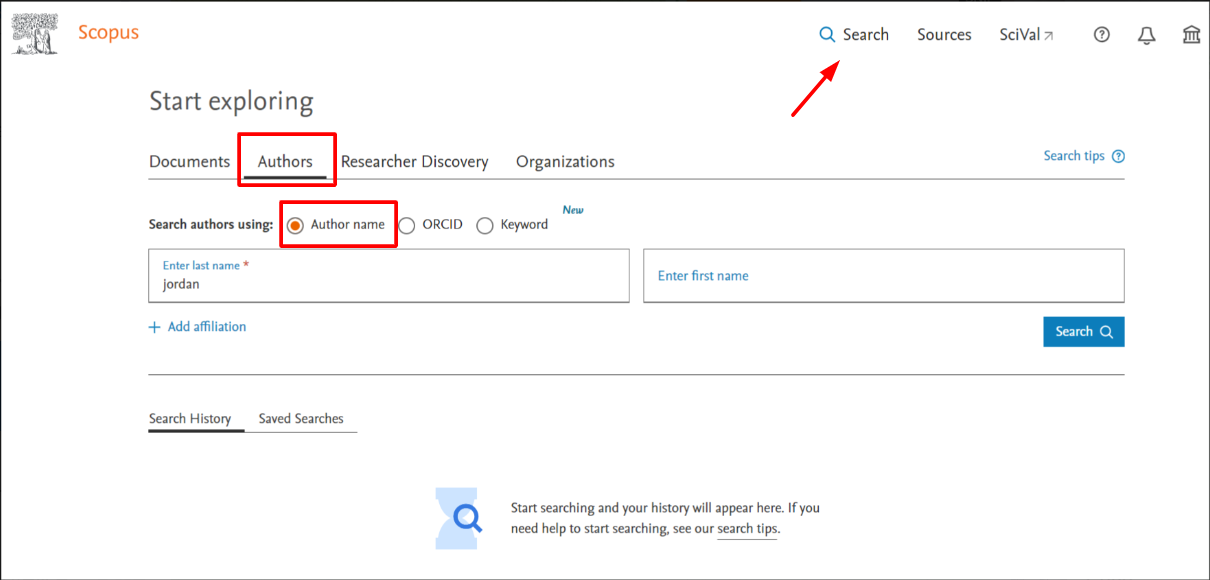
Step 2. In the search results, find the right author. Scopus may display multiple profiles with similar names, so make sure you select the correct profile by checking the information about publications and the institution to which the researcher belongs.

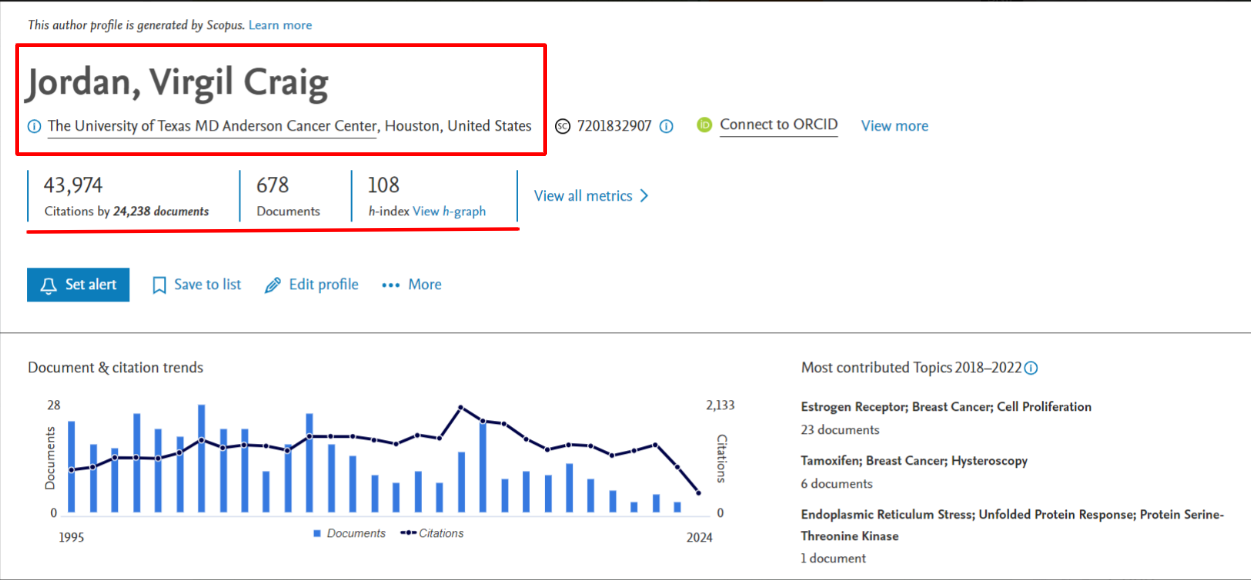
Step 3. Next, click on the name of the desired author in the list of search results. You will be taken to the author's profile page, where you can view the list of publications and their number, number of citations, h-index and other information.
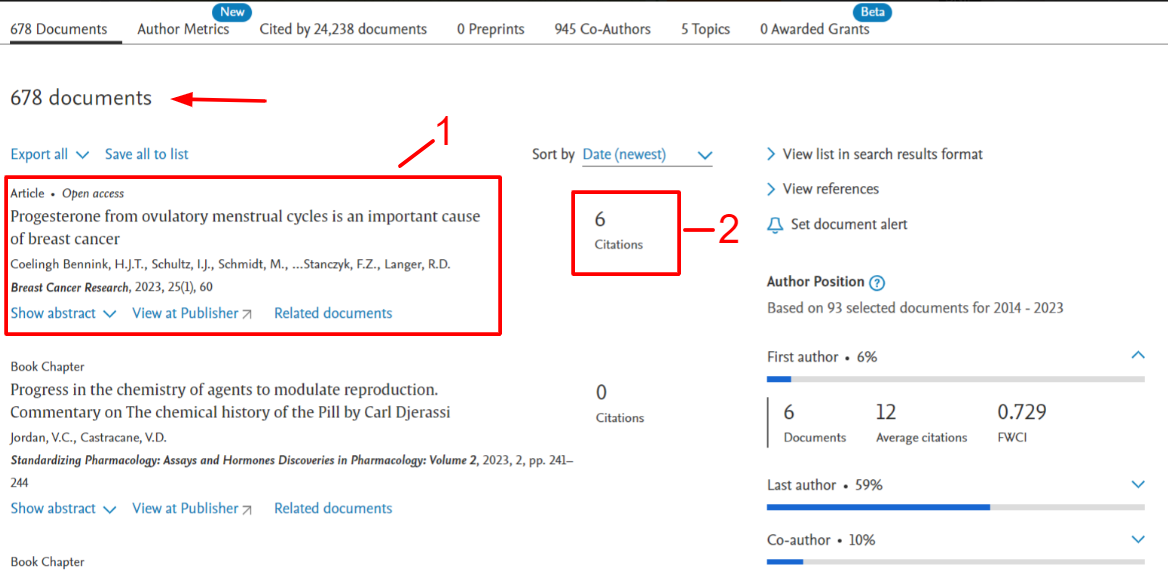
Step 4. The scientist's profile displays all publications of the author indexed by Scopus. You can familiarize yourself with all articles of the researcher, and, in addition, see the number of citations of each by other scientists.
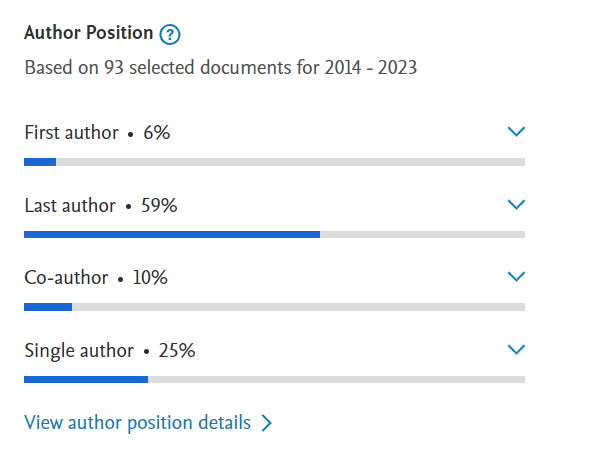
Step 5. The column to the right of the list of all publications displays the percentage of articles where the scientist:
- first in the list of authors
- last author
- equal co-author
- sole author
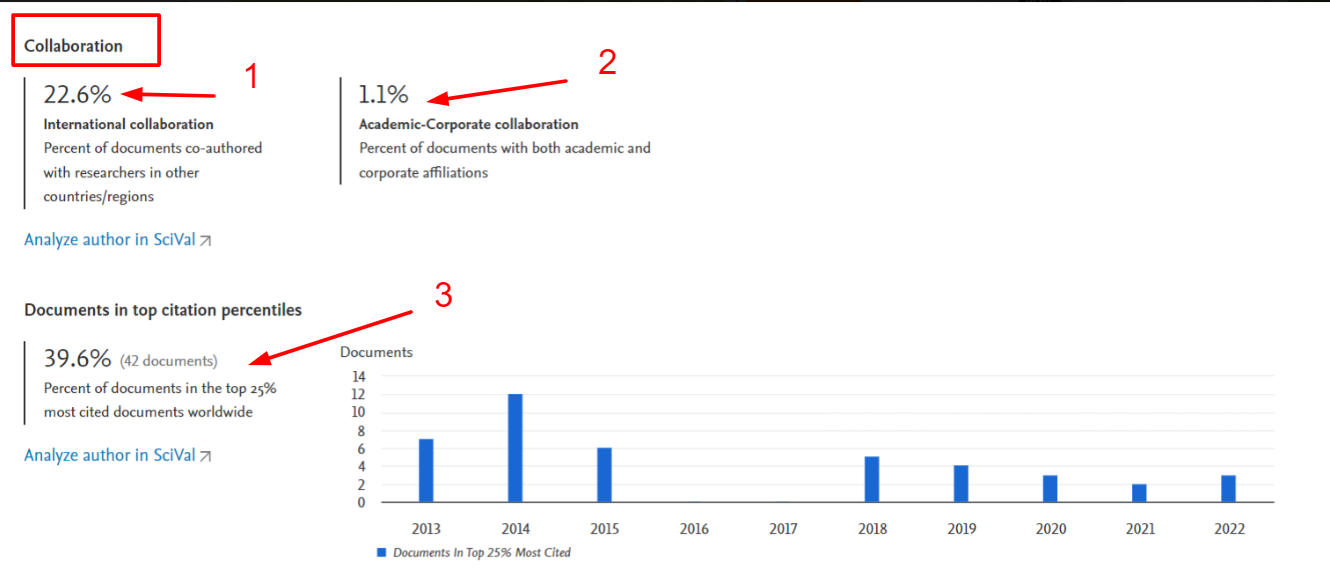
Step 6. In the author profile, you can find more information about the researcher's collaborations with other scientists according to several criteria:
- international collaboration
- local collaboration within one institution
- the percentage of papers that are in the top 25% of the most cited studies in the world.
The last item is also accompanied by a graph showing the papers that are in the top 25% most cited, by year.
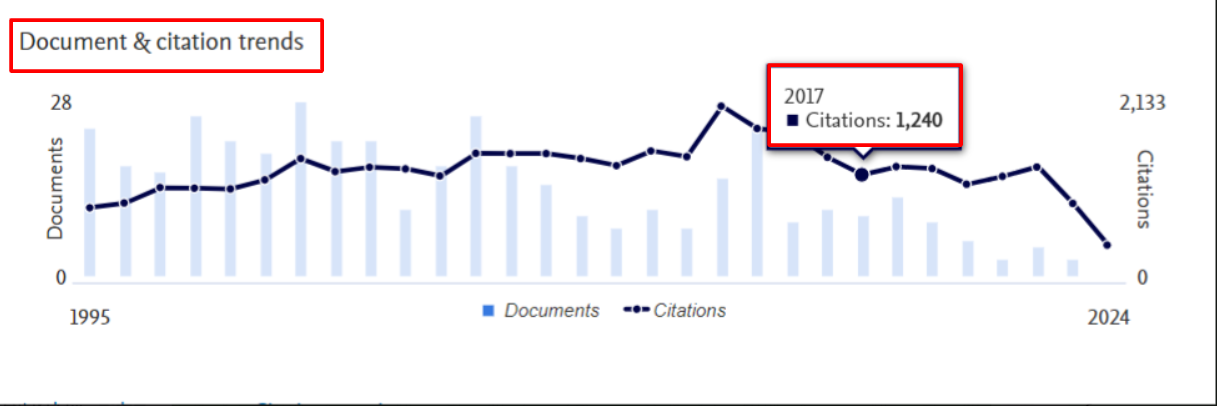
Step 7. In the author's profile you can also familiarize yourself with the "Document & citation trends" graph, which the service generates automatically on the basis of data on the number of citations of the author's publications by year. In the graph, you can easily specify the number of citations of the author's articles for a particular year (starting from the author's first publication):
If you need to make changes or update your profile information, contact Scopus Technical Support through the "Contact us" section of the website. You may need to provide additional evidence of your identity and authorship.
Publication in Scopus opens many opportunities for the author: international recognition, awarding the necessary degree or scientific title, increasing the chances of receiving grant support, promotion in academic position and many other advantages. Ordering the service of placing a scientific article in the Scopus database with us you get guaranteed indexing of the work in the international service and legal protection in the form of an official contract.


