


The interdisciplinary database Scopus is a multifunctional resource that provides many opportunities for scientists. The platform has an easy-to-understand interface, easy to grasp and logically structured. The database allows you to find and analyze scientific publications in four ways. Let's take a closer look at each of them and use examples to understand how the Scopus search engine works.
Scopus capabilities
You can search the Scopus database to find huge amounts of scientific information: articles, journals, conference proceedings and other scientific documents.
Currently, the Scopus platform holds more than 94 million scientific publications, more than 24 thousand peer-reviewed journals and more than 330 thousand books.
The library is replenished and updated daily. In addition to adding the latest research, Scopus is pleased with the continuous improvement of its search engine tools. Finding studies, authors, journals and books will become even easier in 2024. Here is a step-by-step guide to using the Scopus search engine.
How to use the Scopus search engine?
- In Search, you can search one of four search fields:
- Documents
- Authors
- Researcher Discovery
- Organizations

- Through the "Documents" category you can search for the necessary information in any convenient way: by article title, keywords, language, ISSN, etc. To do this, activate the "Search within" window:

- The "Authors" category allows you to find a scientist's publications by first name, last name, or scientific institution.

In addition, you can search through the ORCID identification code.
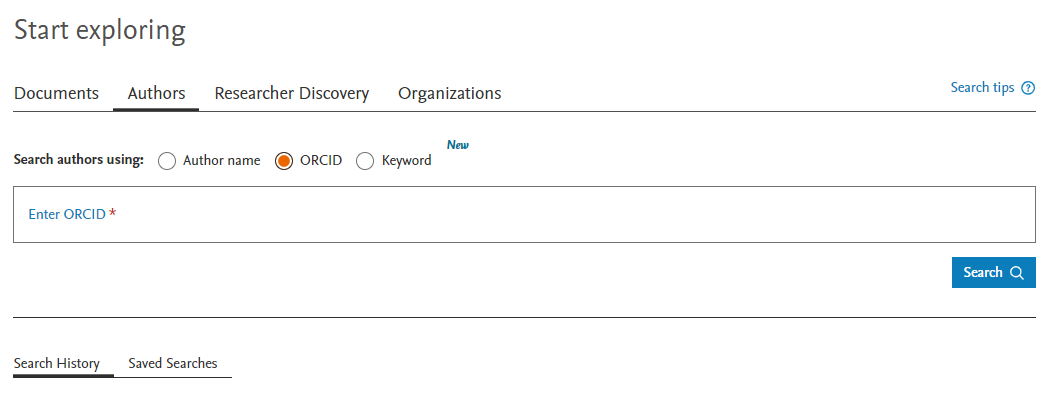
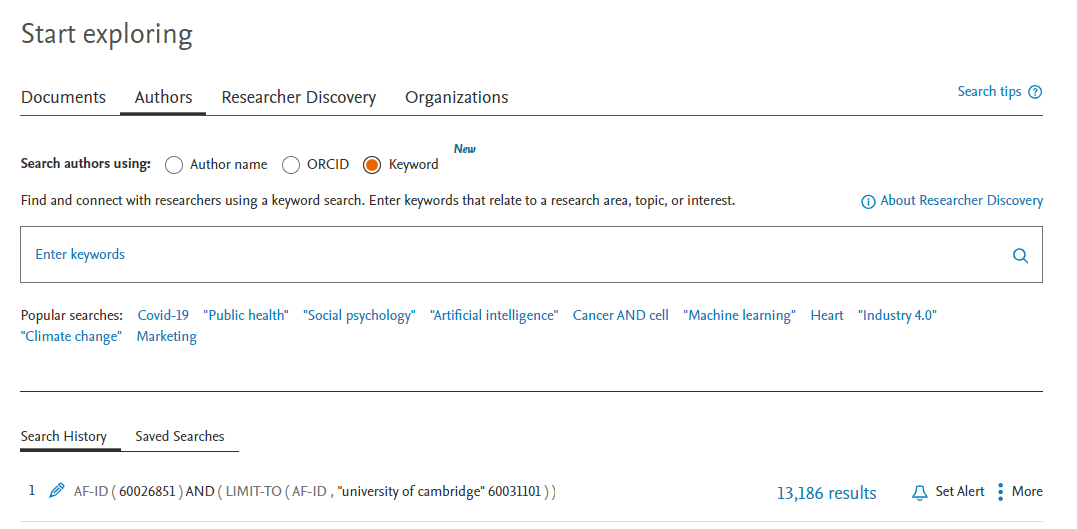
Also, the search in the authors section is now available through keywords used in the publications of scientists. This search can be activated through the "Keyword" option. The most popular queries searched by scientists from all over the world are offered under the search field.
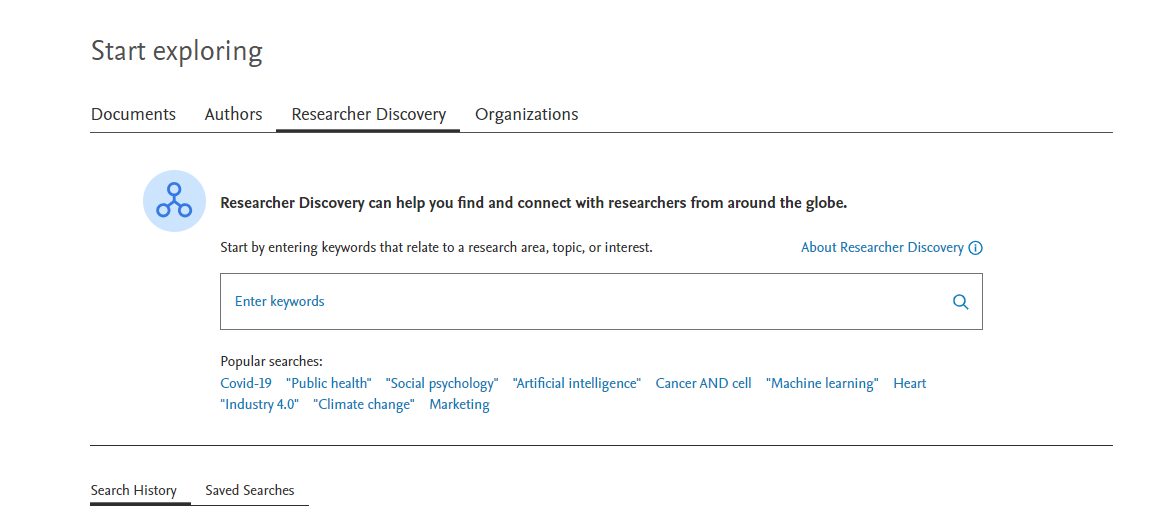
4. Through the "Researcher Discovery" search category, you can find research papers by keywords relevant to your research topic of interest.
5. Searching through the "Organizations" category classifies scientific publications by academic institutions and various scientific organizations.
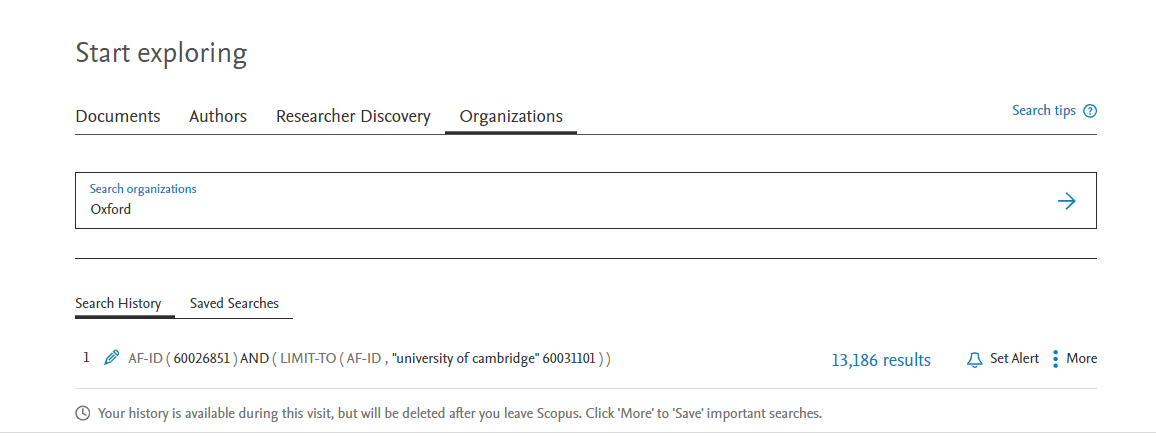
The advanced university search offers detailed information on the influence of an academic institution, displays the number of scientific publications and authors, the structure of the organization, and the institutions with which it collaborates.
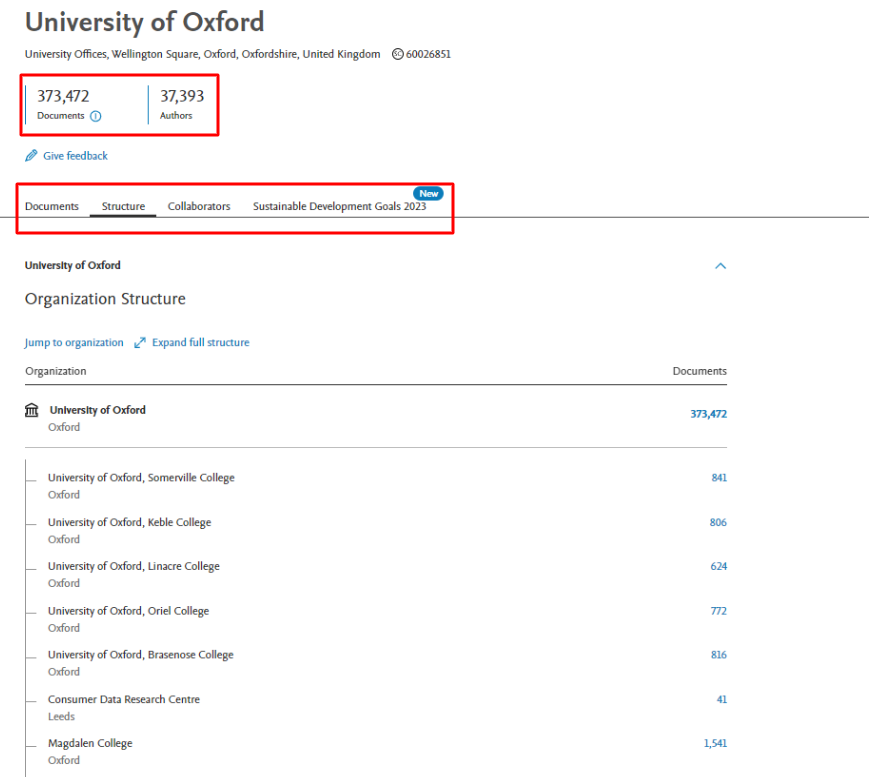
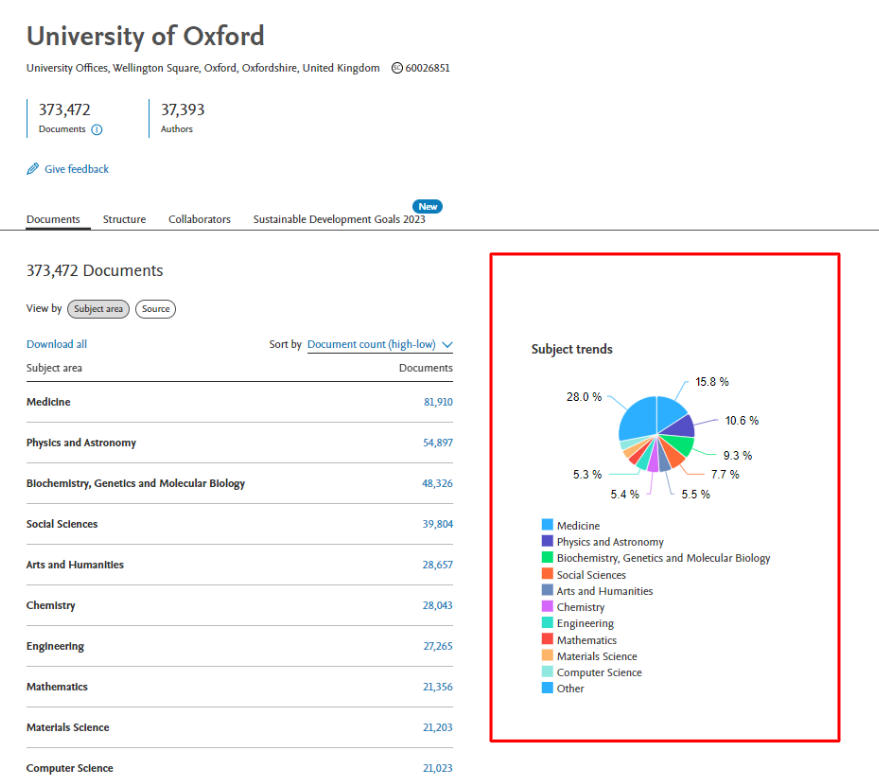
In the Documents section, you can see a chart that shows, in percentage terms, the areas of science in which articles are published.
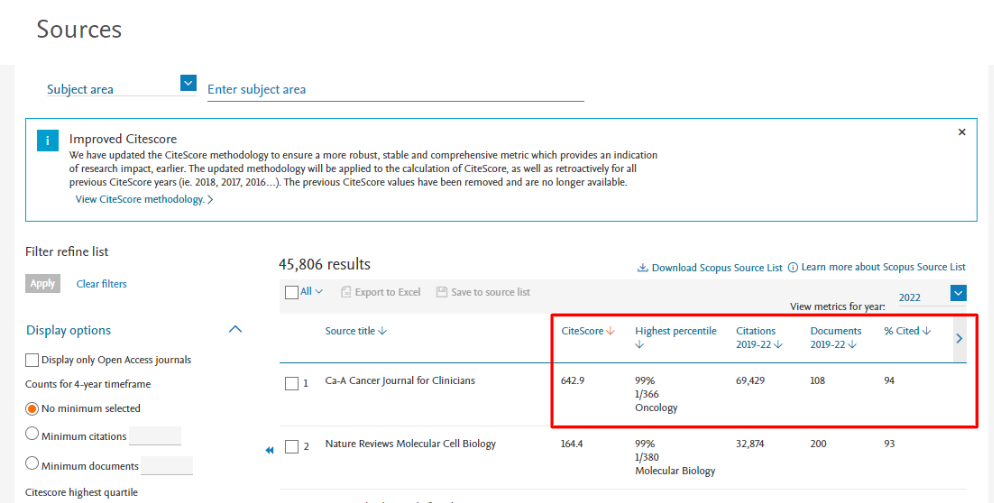
To view the list of journals indexed in Scopus, as well as to learn their scientific metrics:
Go to the "Sources" section.
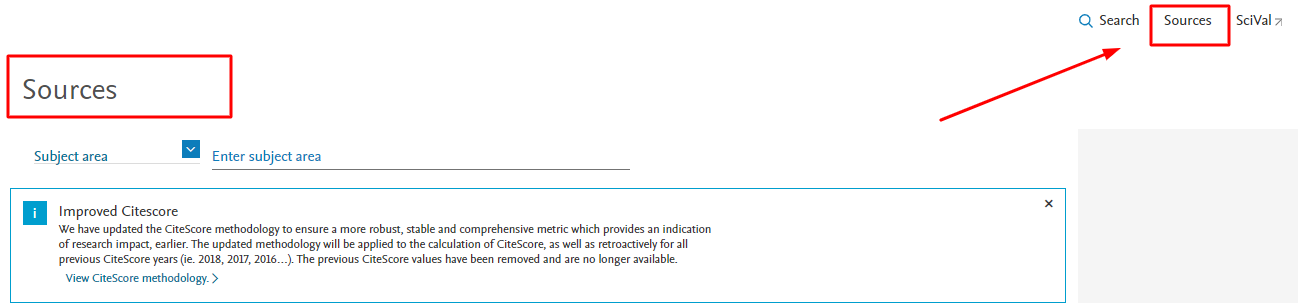
In the filter on the left you can set the necessary parameters. By default, the search displays the list of publications in decreasing order of their influence (scientometric indicators). On the main page you can familiarize yourself with the main indicators assigned to journals: CiteScore, number of citations, percentile, quartile, etc.
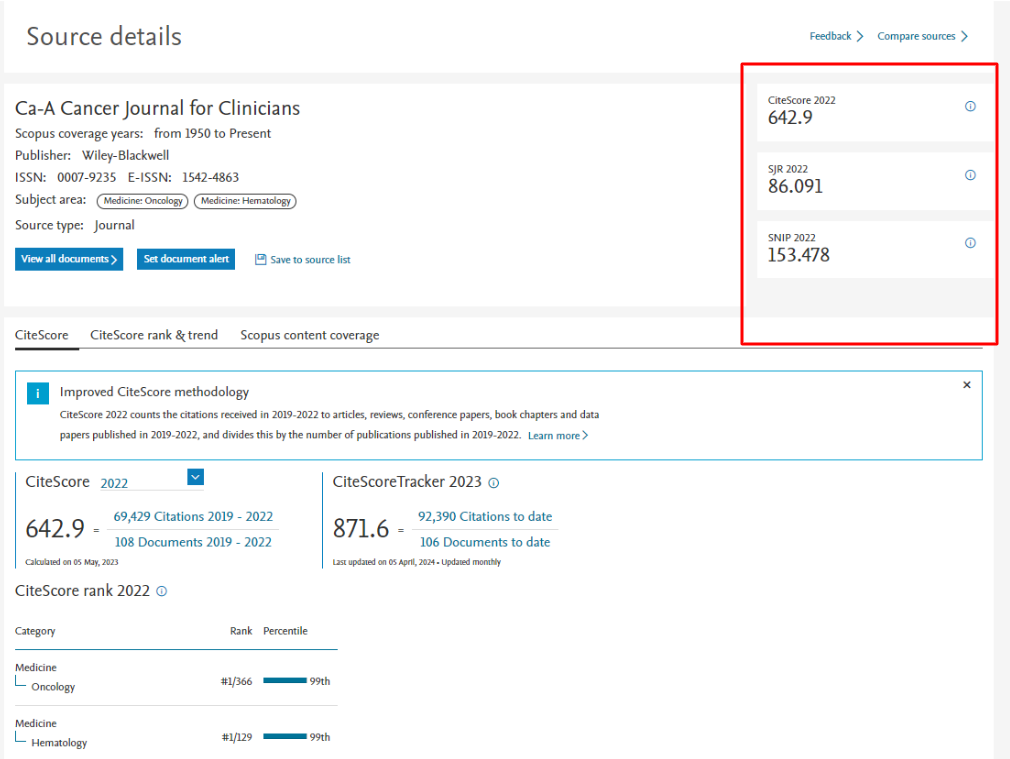
More detailed information about the journal and its "scientometric scores" can be found by clicking on the title of the publication.
How to know the scientometric indicators of scientific activity of a scientist?
The effectiveness and value of a scientist's scientific activity is assessed by such indicators as: h-index, citation index, number of publications. These data can be found on the main page.
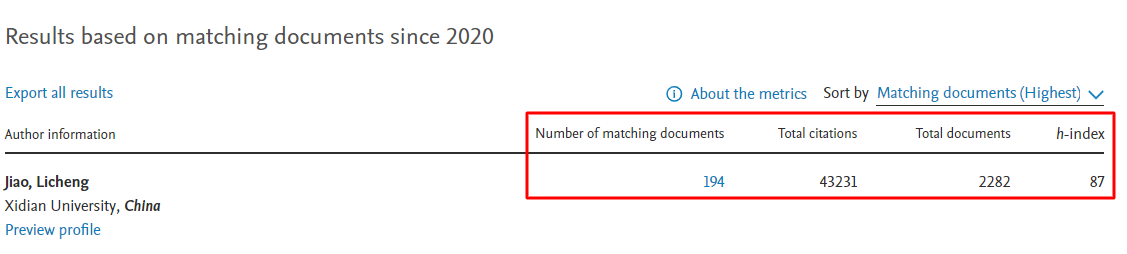
To find out more information about the scientist, including the dynamics of his work by year and the history of collaboration with other scientific figures, just go to his profile.

Now you know more about the Scopus search engine. Subscribe to our updates to be the first to know the news about science and education. For any questions about publishing and increasing h-index you can contact our experts.


